Every book you expect, already connected
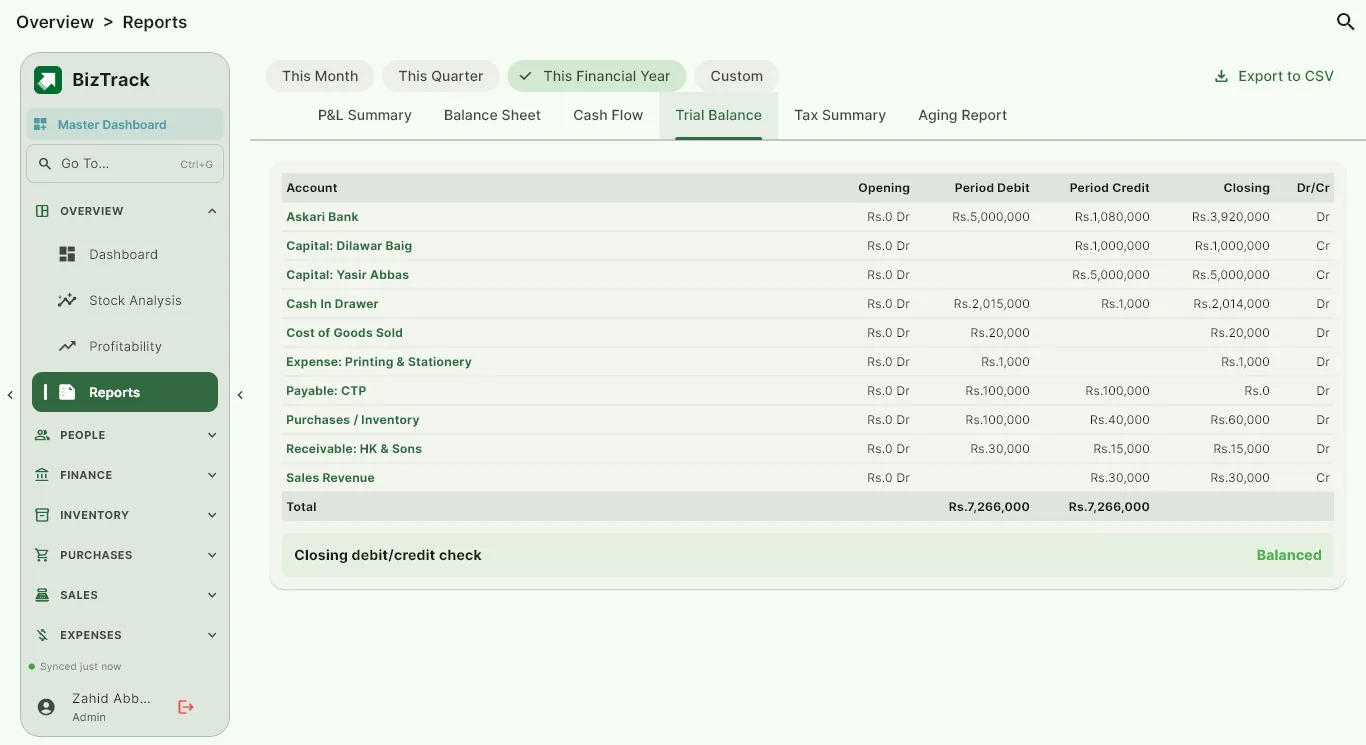
Cash and bank accounts (cash drawers, banks and digital wallets, with transfers between them), journal and ledger are built in, and every invoice, payment and expense posts to them automatically. The trial balance shows every account at a glance, with an automatic check that debits equal credits.
- Any number of cash, bank and wallet accounts, each with a CashBook or BankBook and running balance
- Journal and ledger by account, party or period
- Trial balance with a built-in debit and credit check
Reports that answer real questions
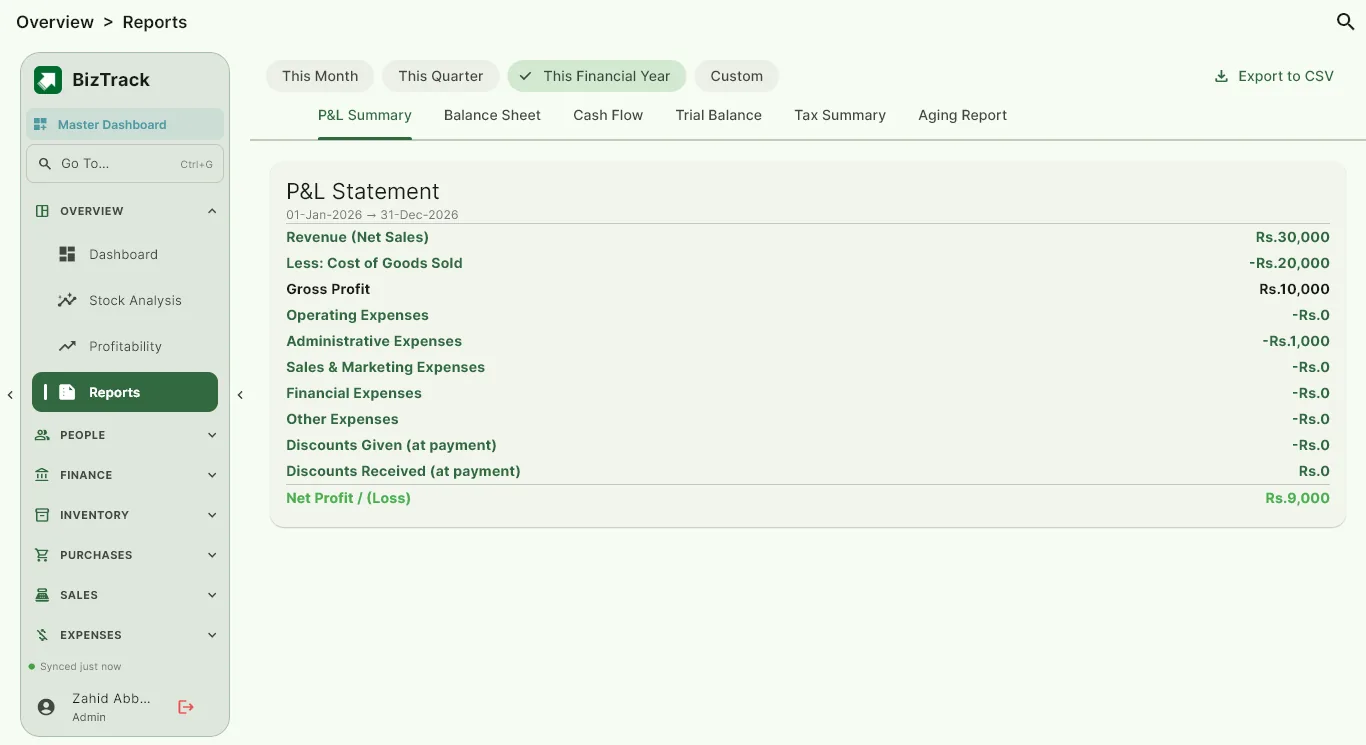
Open Profit & Loss for any period, a Balance Sheet, a Cash Flow statement and a Tax Summary that compares output tax on sales with input tax on purchases. Aging reports show who owes you and whom you owe, grouped by how overdue it is.
- Profit & Loss for any date range
- Balance Sheet, Cash Flow and Tax Summary
- Receivable and payable aging reports
Close the year and share the profit
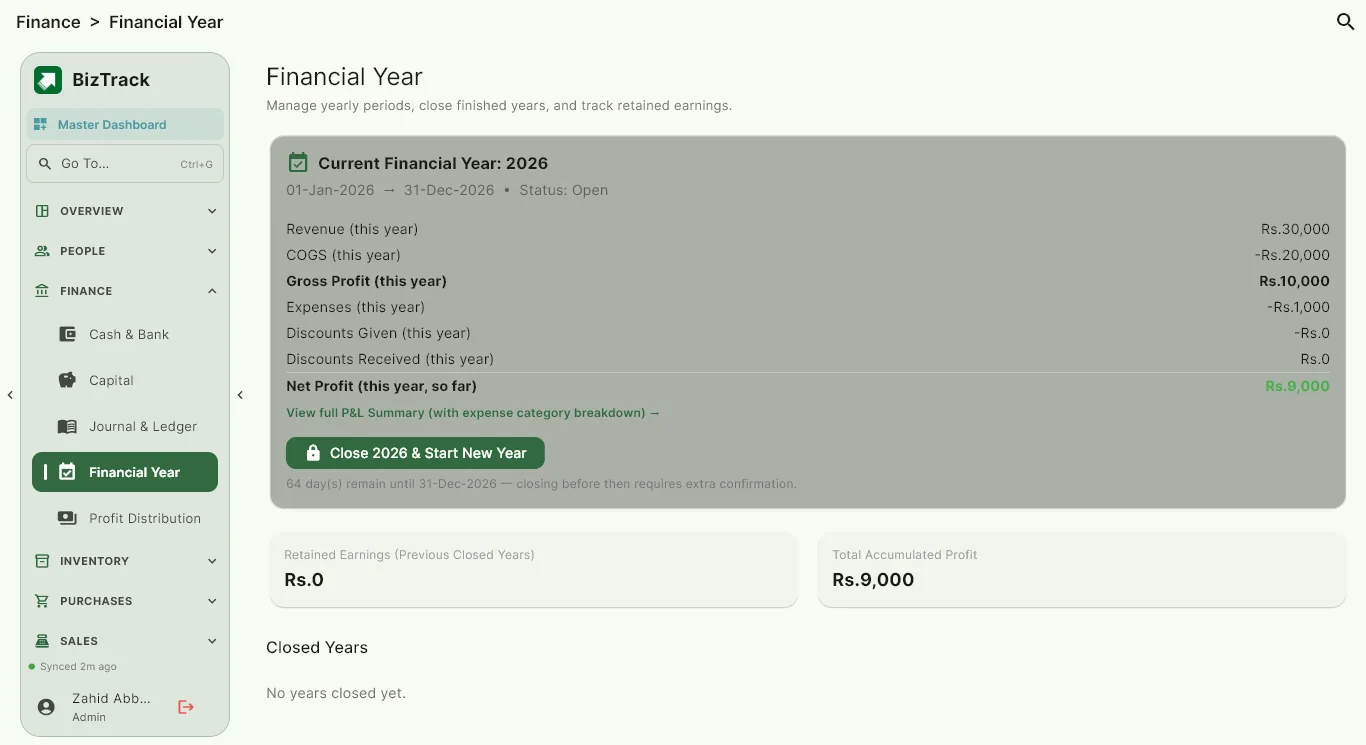
Close a financial year and carry retained earnings forward to the next one. If the business has partners or investors, split profit between them in two clear steps with Profit Distribution.
- Financial year closing with retained earnings
- Capital introduced and withdrawn, per partner or investor
- Profit distribution between partners and investors
Common questions
Do I need to know accounting to use BizTrack?
No. You enter ordinary business events such as a sale, a purchase, a payment or an expense, and BizTrack makes the accounting entries for you. The journal and ledger are there when you or your accountant want to look deeper.
Can I see profit for just one month or one quarter?
Yes. Profit & Loss and the other reports can be run for any date range, and you can set the month your financial year starts.
Does it handle more than one business?
Yes. Each business keeps its own separate books, and a Master Dashboard lets you compare them side by side.
Try BizTrack free for 1 month
Download the app, tap Start Free Trial on the first screen, and enter your name, business name and WhatsApp number. No card, no commitment.