Items with codes and set sizes
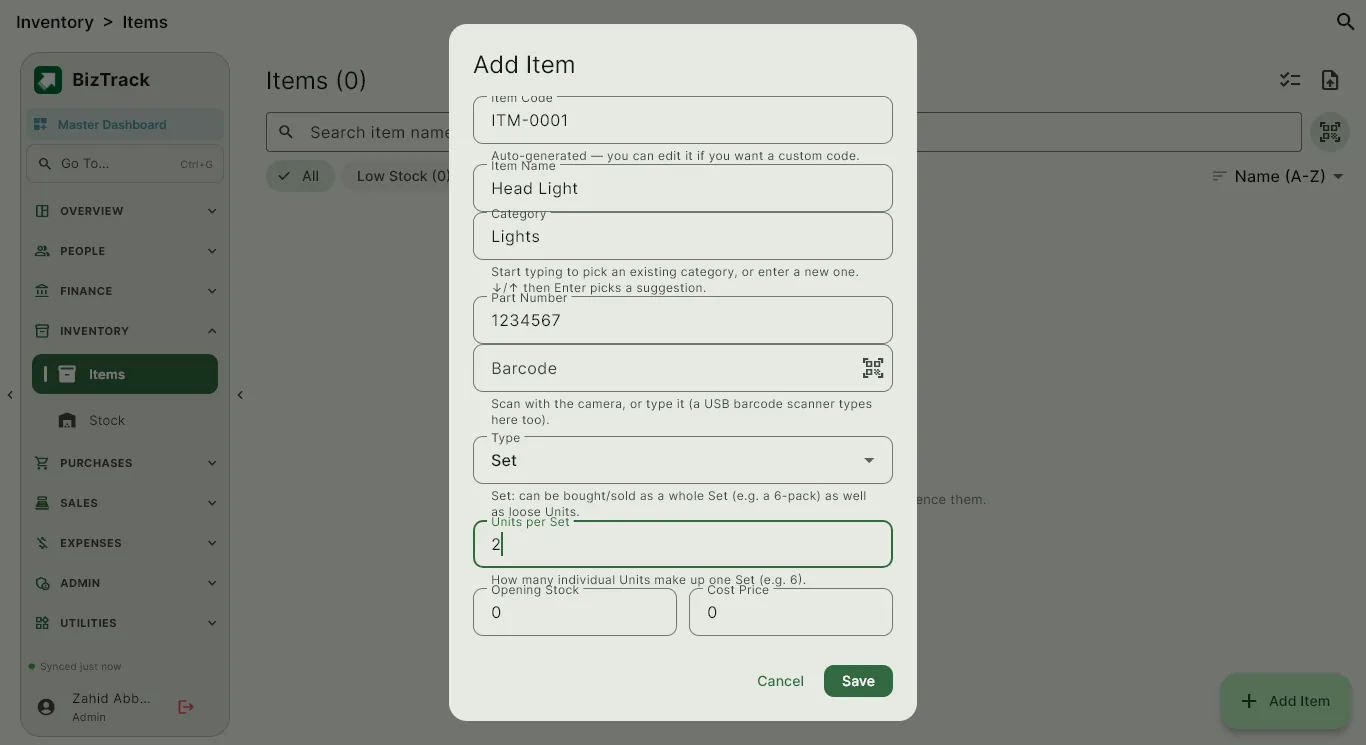
Give every item a code and, if you sell in packs, a set size. Quantities can then be shown by the unit or by the set, for example 30 units as 5 sets of 6, and invoices print them the same way.
- Item codes and unique names
- Sets and units on purchase and sale documents
- Import your existing item list from a spreadsheet
Stock valued at actual purchase cost
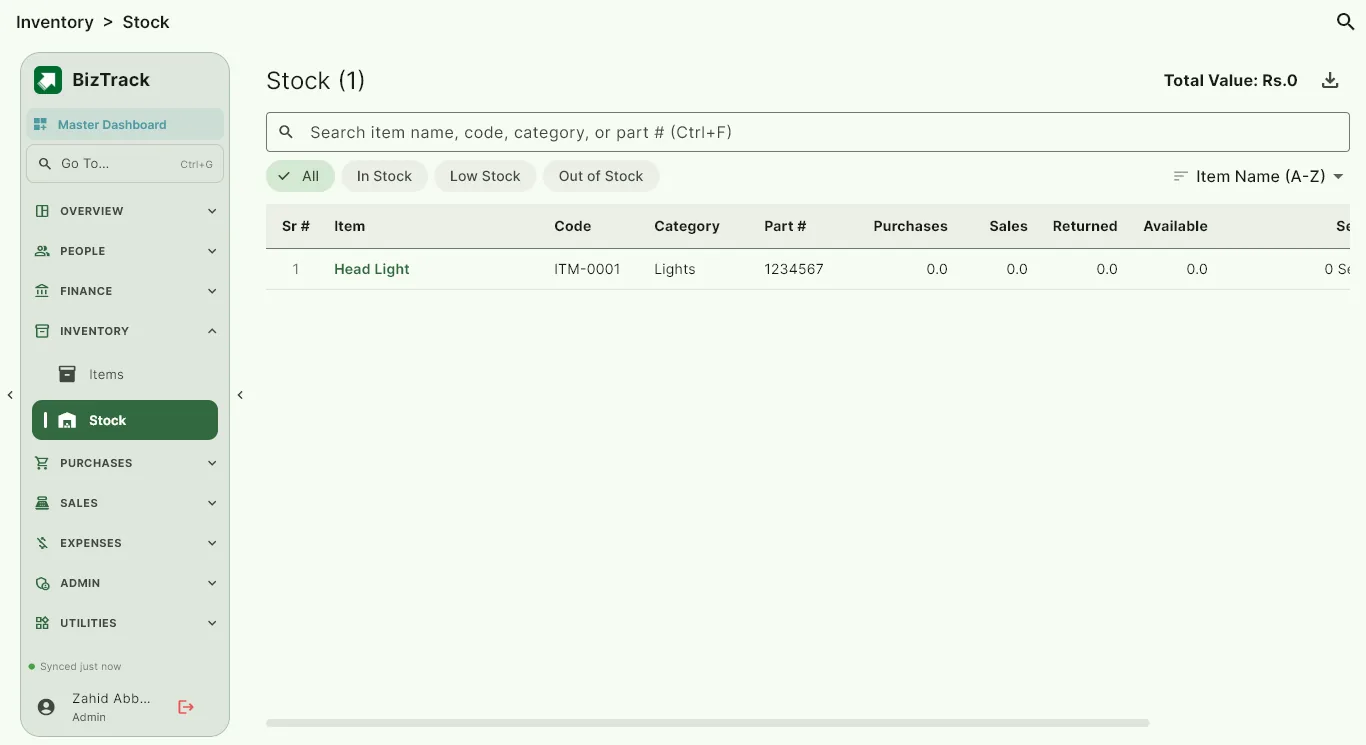
Remaining stock is valued at what you actually paid, not an average guess, so Stock and the dashboard show true capital tied up. Purchases add to stock, and sales and returns adjust it automatically.
- Per-item quantity and value
- Total stock value on the dashboard
- Stock moves with purchase, sale and return documents
Spot problems before they cost you
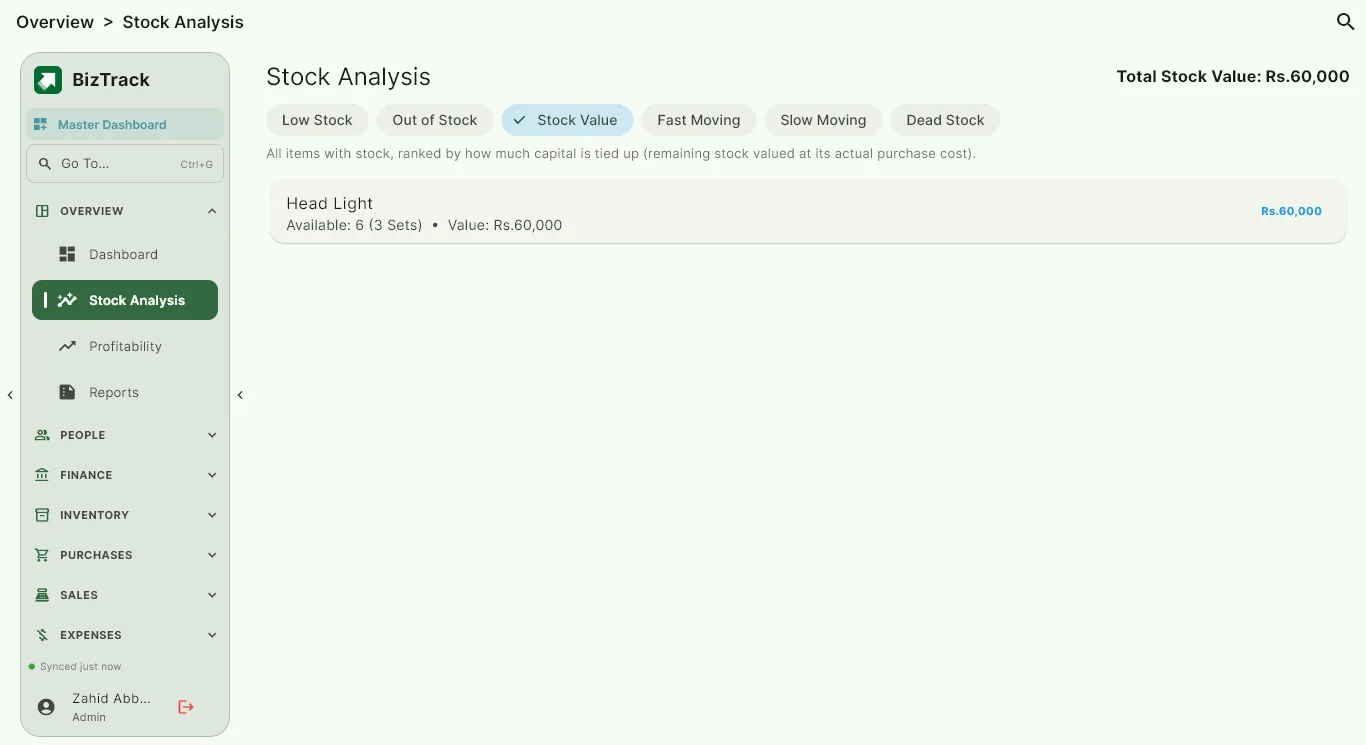
Stock Analysis lists low stock, out-of-stock items, fast-moving items, slow-moving items and dead stock, and ranks everything by how much capital it holds.
- Low stock and out-of-stock lists
- Fast, slow and dead-moving items
- Items ranked by stock value
Common questions
Can I sell the same item by the unit and by the set?
Yes. Set sizes are stored on the item, and purchase and sale documents can use either, with quantities shown clearly on printed invoices.
How is stock valued?
At the actual purchase cost of the stock that is still on hand, so your stock value matches what you really paid.
Can I bring in items I already have in a spreadsheet?
Yes. BizTrack has a bulk import for items, and an expected-columns template to keep the file tidy.
Try BizTrack free for 1 month
Download the app, tap Start Free Trial on the first screen, and enter your name, business name and WhatsApp number. No card, no commitment.