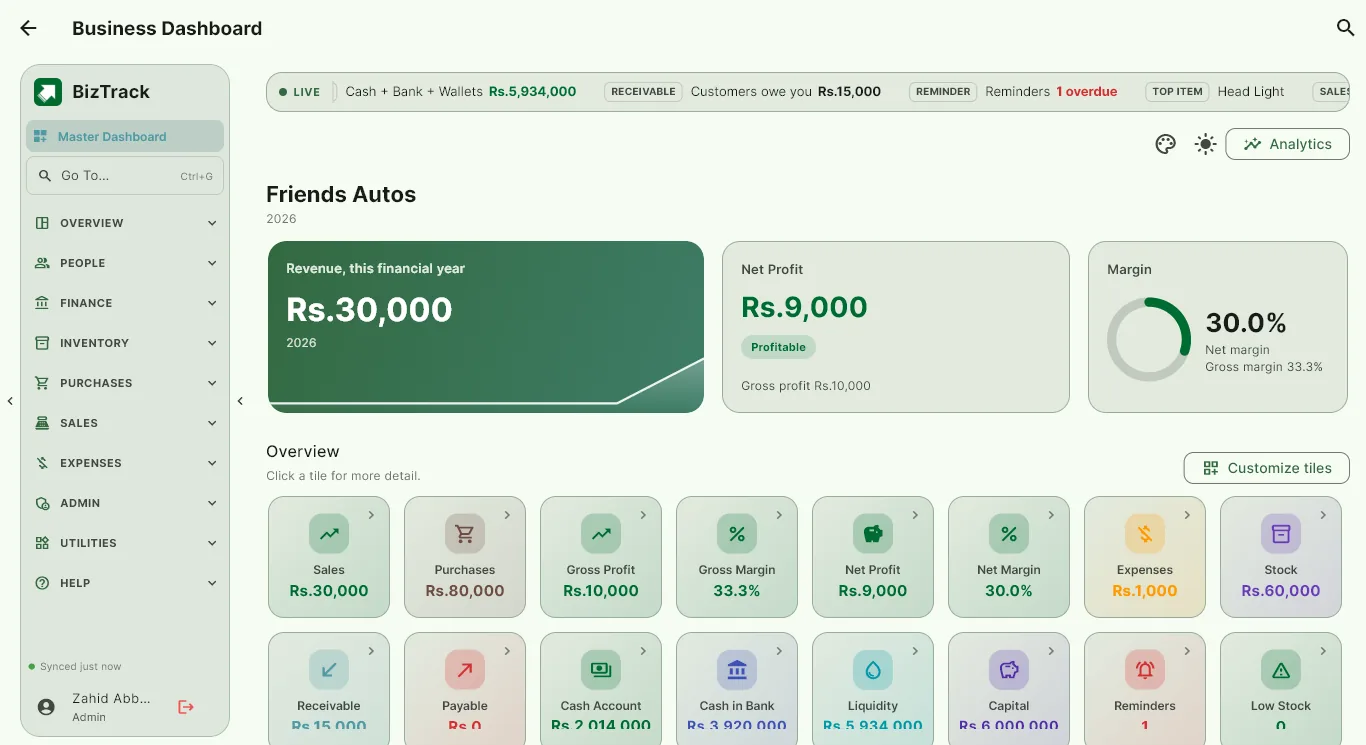
See how the business is doing at a glance
The dashboard shows sales, purchases, gross profit, net profit, expenses, stock, receivables, payables and cash on one screen, with an analytics view for trends and top sellers.
- Dashboard tiles you choose and reorder
- Revenue vs expenses over time
- Top selling items
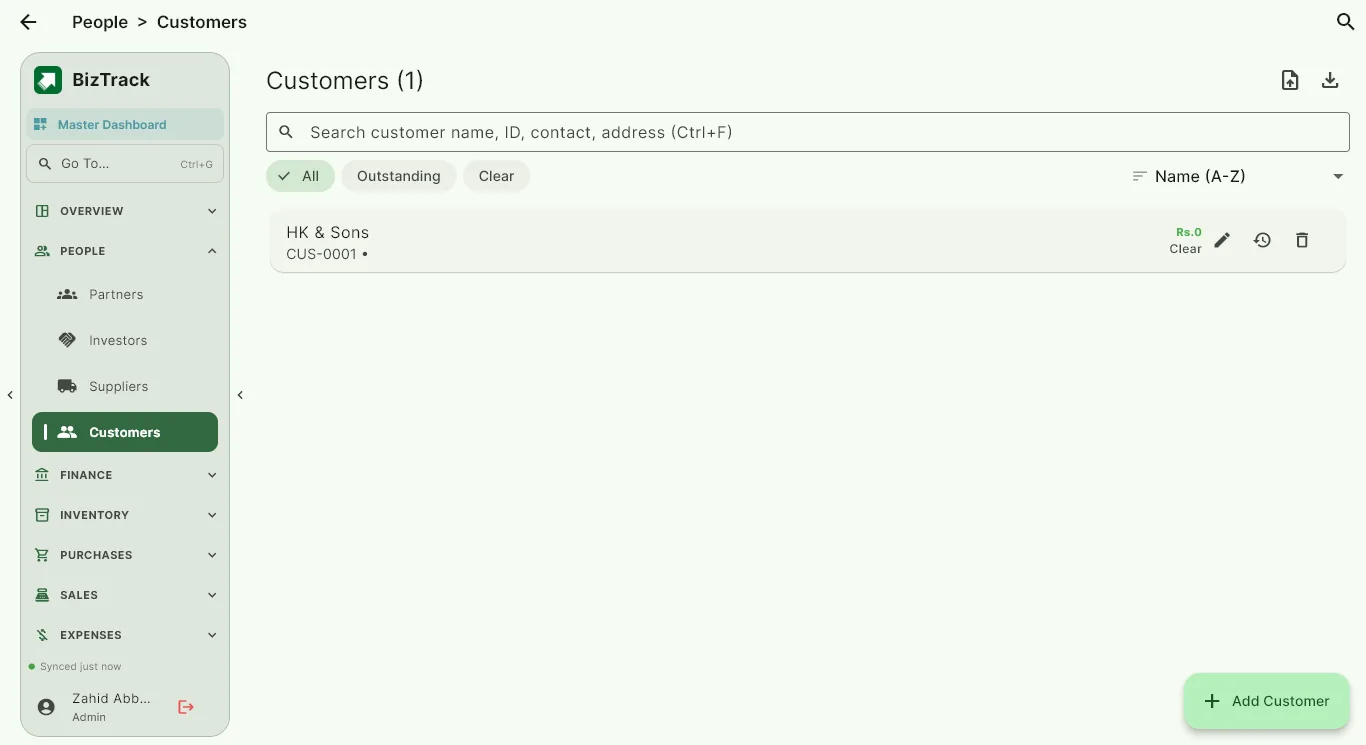
Customers, suppliers, partners and investors
Every party has its own account, balances and ledger. See what a customer owes, what you owe a supplier, and how much capital each partner or investor has in the business.
- Customer and supplier ledgers
- Partner and investor accounts
- Receivable and payable balances
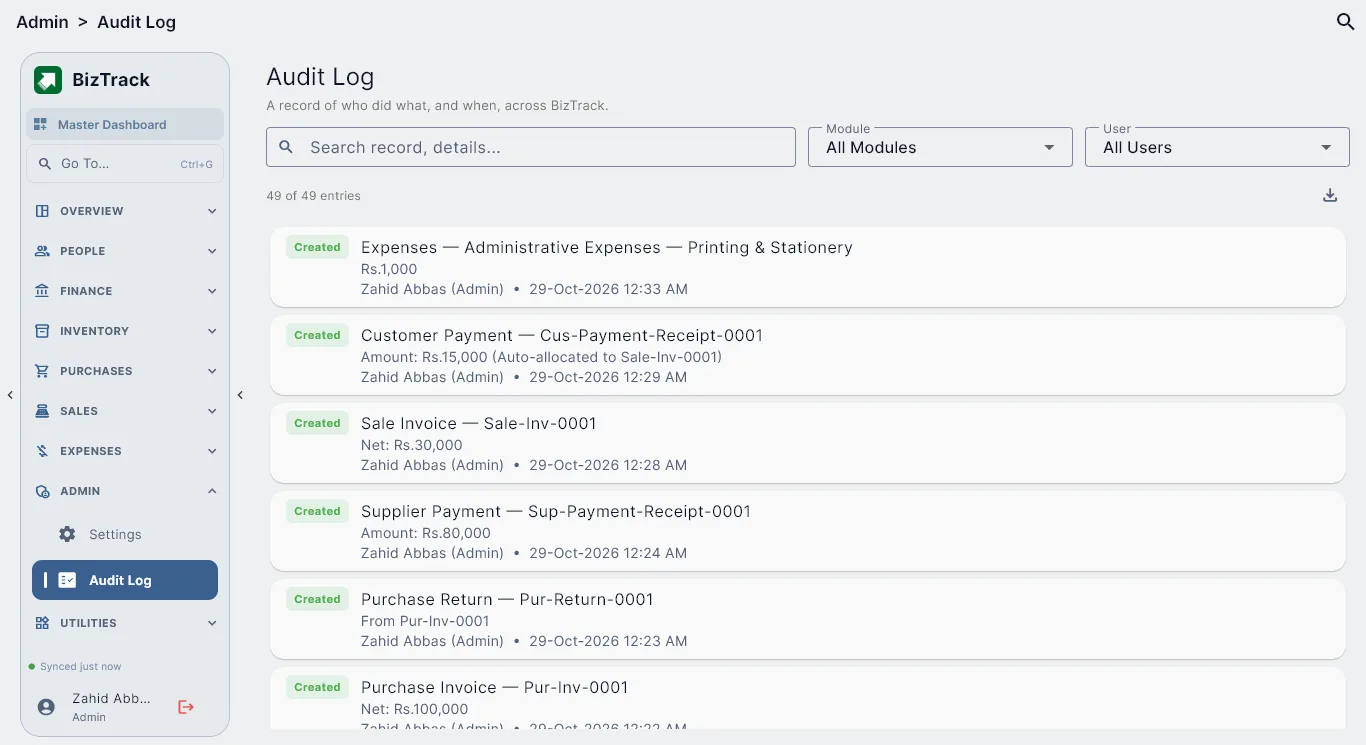
Control and accountability
Roles decide who can see and do what, and the audit log shows who changed what and when. A daily automatic backup and cloud sync help keep your data safe.
- Role permissions
- Audit log with filters
- Daily automatic backup
Common questions
Is BizTrack an ERP?
BizTrack covers the everyday core of an ERP for a growing business: sales, purchases, inventory, expenses, accounting and reporting. It deliberately leaves out heavy modules such as manufacturing or payroll processing so it stays simple to use.
Which devices does it run on?
BizTrack runs on Windows and on Android. Your data syncs between your devices.
How much does it cost?
Every business starts with a 1 month free trial inside the app. After that, see the pricing section on the home page.
Try BizTrack free for 1 month
Download the app, tap Start Free Trial on the first screen, and enter your name, business name and WhatsApp number. No card, no commitment.